Step 1: Navigate to the VPC Dashboard
Go to your VPC dashboard or firewall management section where your port forwarding and routing rules are configured.
Step 2: Edit or Open the Port Forwarding Rule
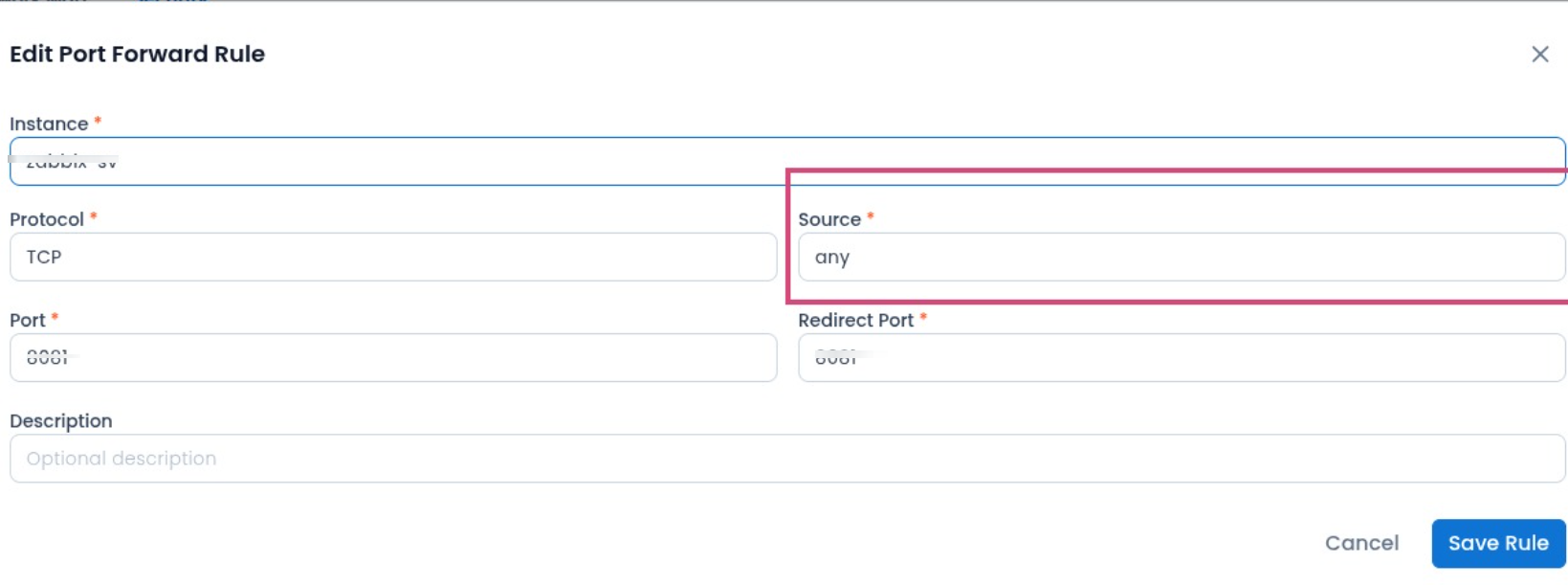
Locate and open the specific port forwarding rule you want to modify (where the target instance, port, and source are configured).
Step 3: Modify the Source Field
Locate the Source field, which is set to any by default, and replace it with your specific allowed IP address or network CIDR block (e.g., 192.168.1.50 or 203.0.113.10).
Was this article helpful?
That’s Great!
Thank you for your feedback
Sorry! We couldn't be helpful
Thank you for your feedback
Feedback sent
We appreciate your effort and will try to fix the article