TABLE OF CONTENTS
Overview
This guide covers how to manage and configure firewall rules to allow incoming (ingress) traffic and ports for your virtual machines through the VPC settings on the DVC Portal.
Prerequisites
Make sure you are logged in to the DVC Portal and have an active virtual machine running within a VPC
Steps to Configure VPC Firewall Ingress Ports
Step 1: Navigate to VPC Settings from the Instance
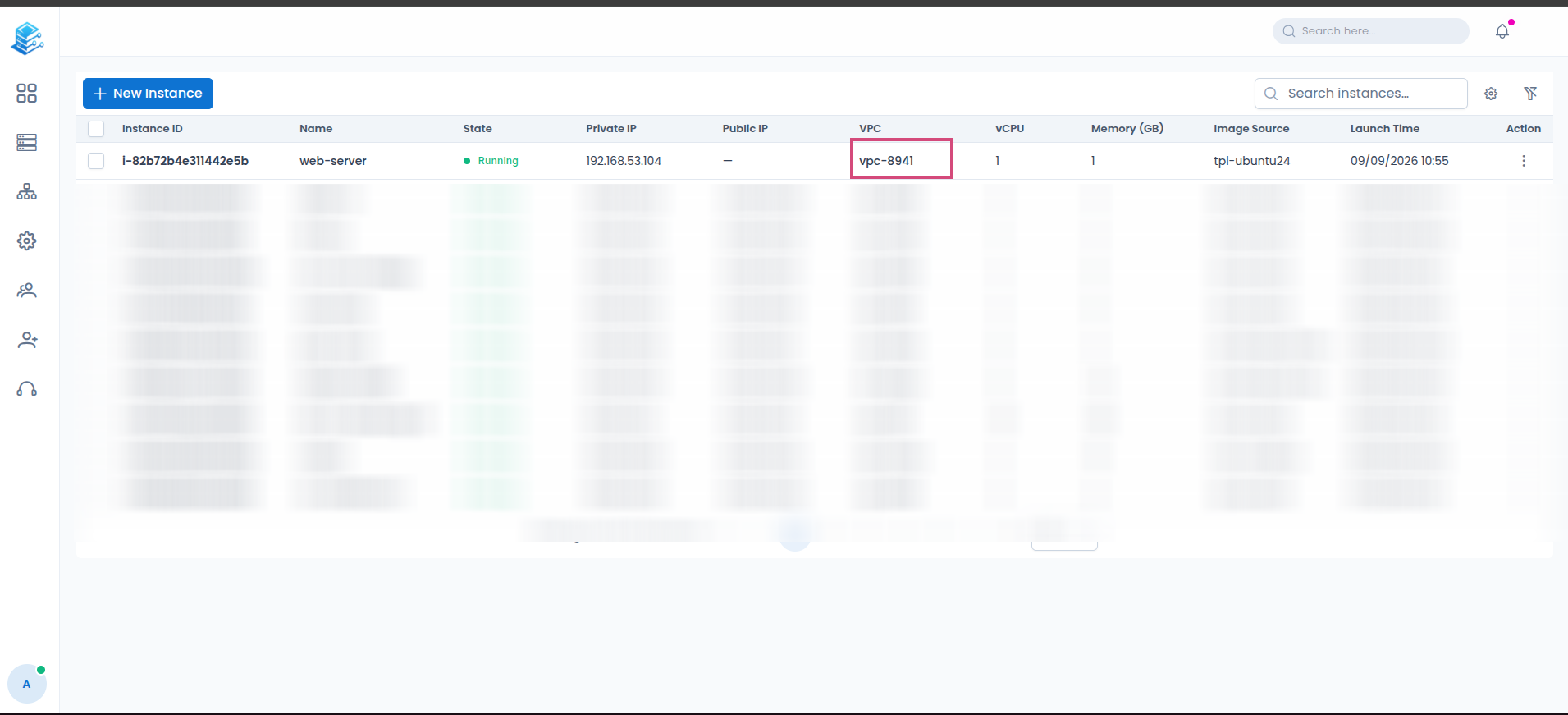
From the Instances management page, locate your virtual machine in the list.
Find the VPC column for your instance.
Click on the highlighted VPC identifier link (e.g.,
vpc-8941) to open the VPC details page.
Step 2: Access Security Options
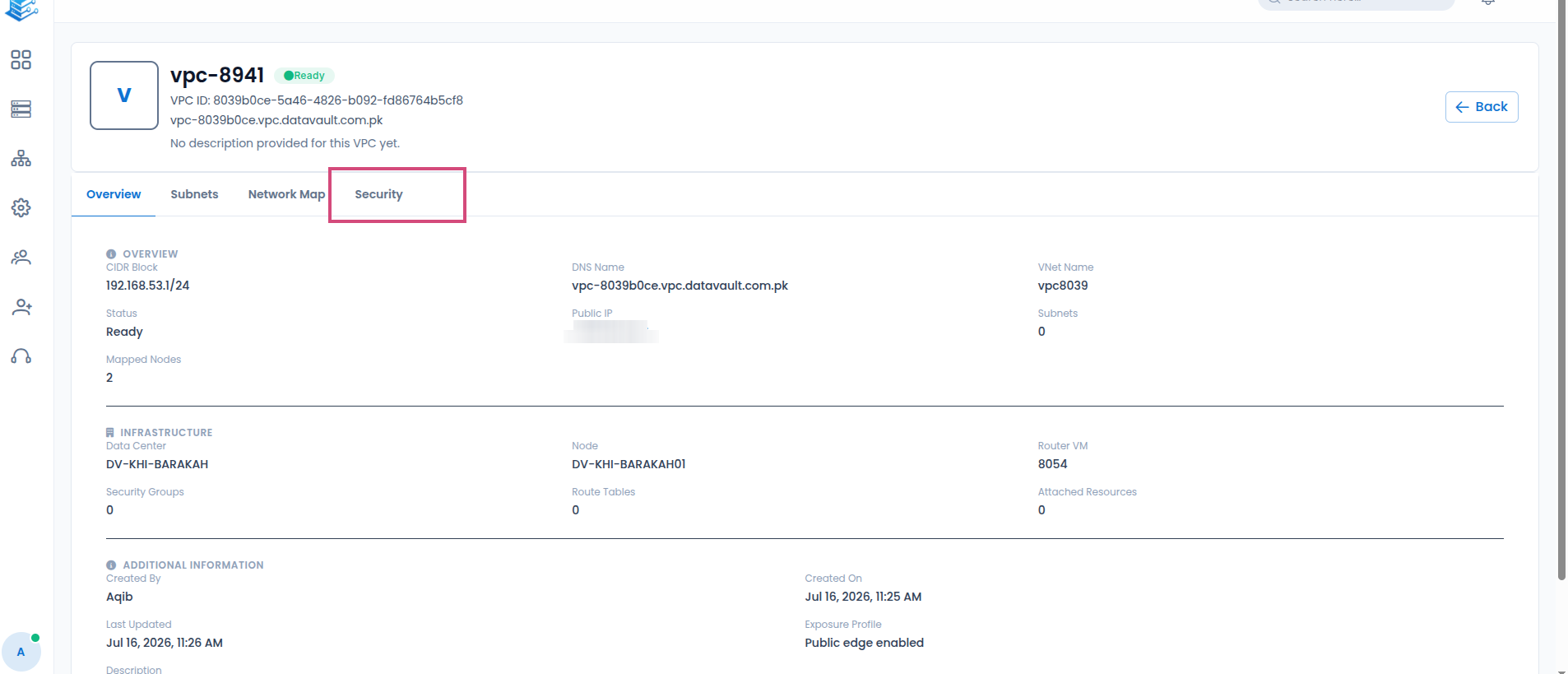
On the VPC details page, locate the horizontal tab navigation menu (which includes Overview, Subnets, Network Map, and Security).
Click on the Security tab to view the security and firewall configurations for the selected VPC.
Screenshot: [VPC details page highlighting the "Security" tab in the navigation bar]
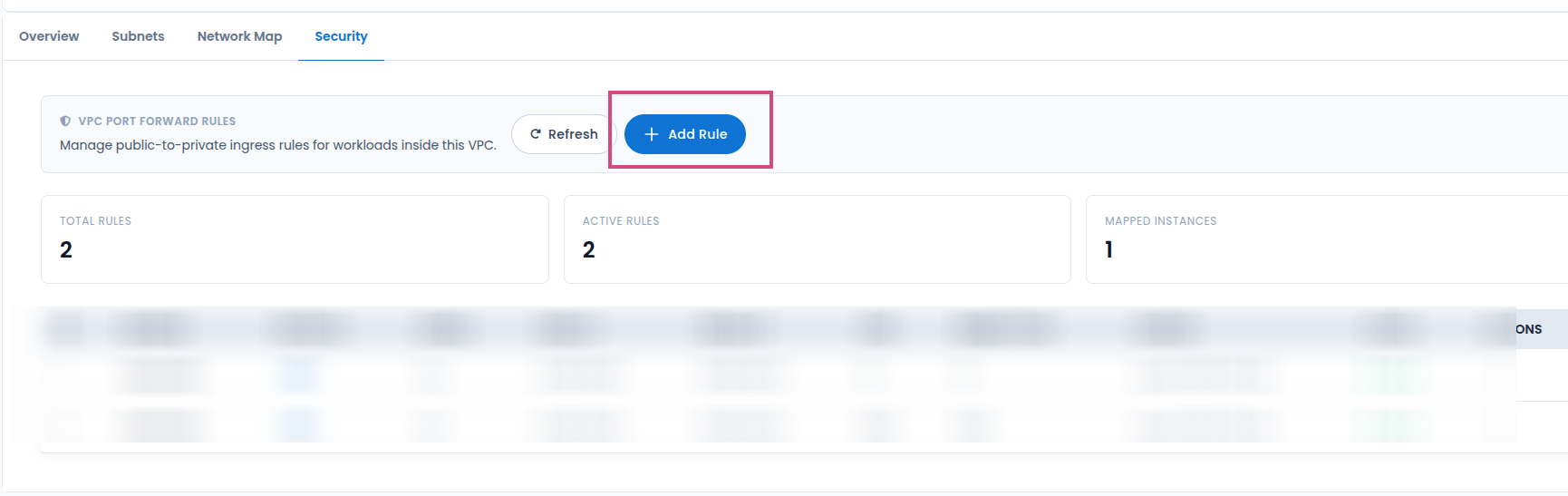
Step 3: Add a New Port Rule
Step 4: Configure Port Forward Rule Details
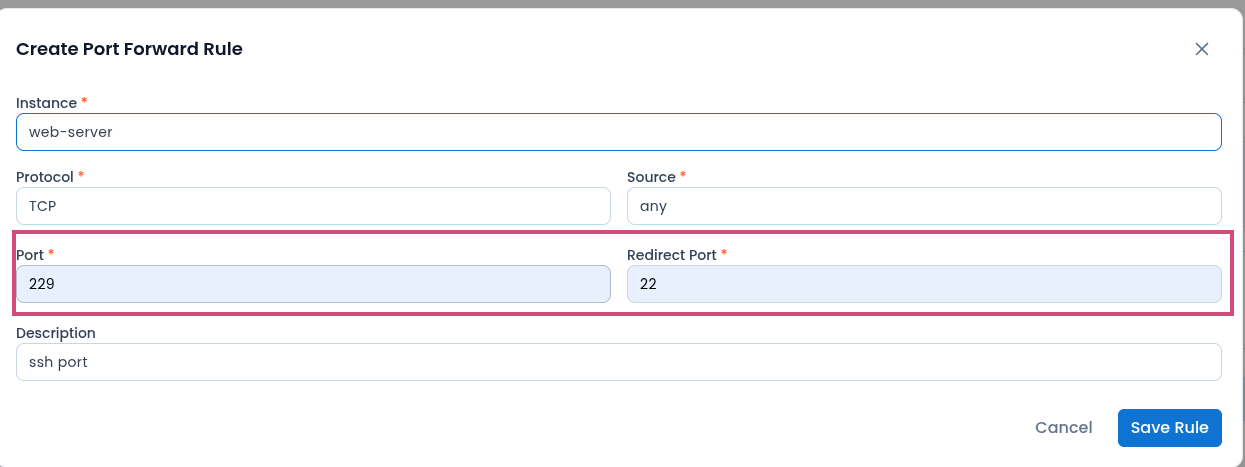
In the Create Port Forward Rule window, configure the following fields:
Instance: Select your target virtual machine from the dropdown menu (e.g.,
web-server).Protocol: Choose the network protocol (e.g., TCP or UDP).
Source: Specify the source IP or allow access from anywhere by selecting any.
Port: Enter the external listening port (e.g.,
229).Redirect Port: Enter the internal destination port on the VM that traffic should be forwarded to (e.g.,
22for SSH).Description: Optionally, add a brief description of the rule (e.g.,
ssh port).
Click the blue Save Rule button in the bottom right corner to create and apply the firewall rule.
Screenshot: [Create Port Forward Rule modal showing Instance, Protocol, Source, Port, Redirect Port, Description fields, and the highlighted "Save Rule" button]
Conclusion
Configuring ingress ports on the DVC Portal allows you to safely route and control external traffic to your virtual machines by setting up targeted port forwarding rules within your VPC's security settings.
Was this article helpful?
That’s Great!
Thank you for your feedback
Sorry! We couldn't be helpful
Thank you for your feedback
Feedback sent
We appreciate your effort and will try to fix the article